
Where a weak spec meets the field: the five reasons as-builts fail
Last updated:
Short answer: As-builts rarely fail because of the scanner — they fail because of the spec. The five most common causes are: no accuracy standard (LOA), the wrong level of detail (LOD), uncontrolled or stale data, missing above-ceiling/MEP conditions, and no verification report. Fix all five in the RFP and you get a model your team can actually build from.
An as-built model looks finished the moment it opens in Revit. Clean walls, tidy ductwork, everything in its place. Then the contractor orders steel to the model’s dimensions, or routes a new duct through a “clear” ceiling, and the field tells a different story. The model looked right and was still wrong.
After 20 years documenting existing conditions across Pittsburgh and Western PA, we see the same root causes again and again — and almost all of them are specification problems you can prevent before anyone sets up a scanner.
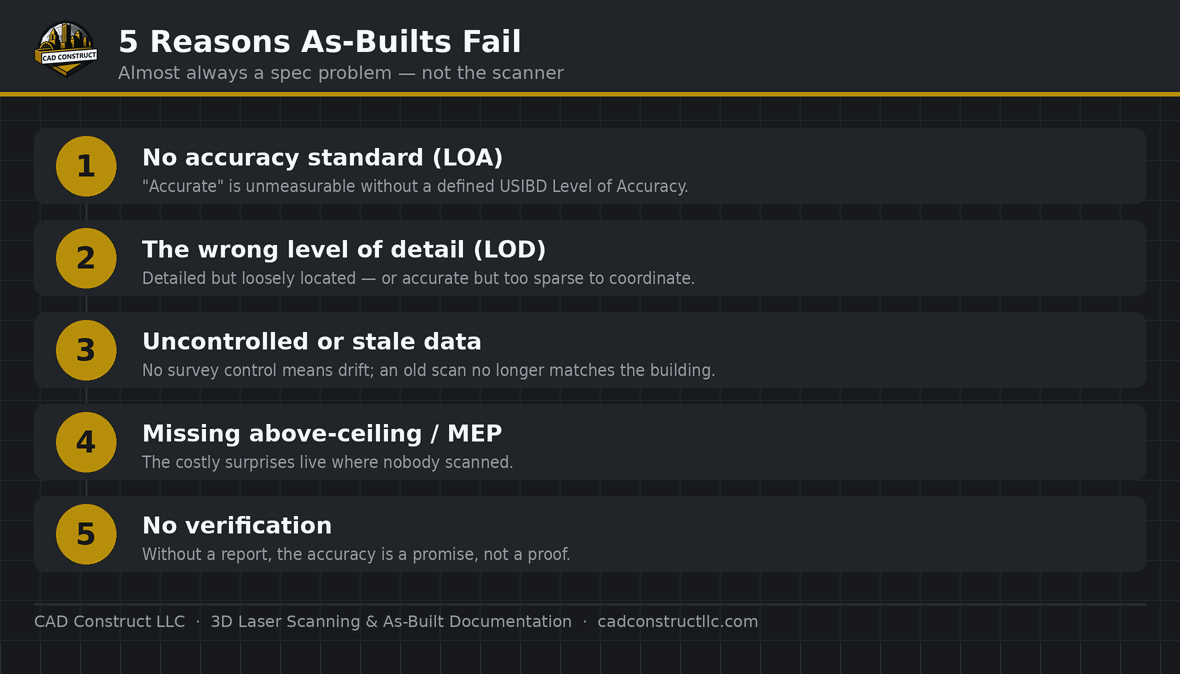
1. No accuracy standard (the LOA problem)
“Survey-grade” and “highly accurate” are marketing words, not specifications. Without a defined USIBD Level of Accuracy (LOA), there’s no objective way to say whether a model is good enough — or to hold anyone to it. Two vendors can both call their work “accurate” and deliver models that differ by centimeters. Specify an LOA (most architectural work is LOA 20–30) and require a verification report against it.
2. The wrong level of detail (LOD ≠ LOA)
LOD describes how much information an element carries; LOA describes how geometrically accurate it is. They’re independent, and confusing them is expensive. A model can be gorgeously detailed (LOD 350) and still loosely located (poor LOA), or dead-accurate but too sparse to coordinate. Specify both, and match them to the model’s actual purpose — you don’t need LOD 400 fixtures for a space-planning background.
3. Uncontrolled or stale data

A scan is a snapshot in time, tied to a coordinate system. Without survey control, large or multi-story projects accumulate drift — small registration errors compound across setups until far corners are off by more than the tolerance allows. And a model captured a year ago no longer matches a building that’s been renovated since. Require survey control for anything large, and confirm the capture date reflects current conditions.
4. Missing above-ceiling and MEP conditions
The most costly surprises live where nobody scanned: above hard ceilings, inside chases, behind walls. If MEP coordination is the goal, “we’ll scan the rooms” isn’t enough — the RFP has to call out above-ceiling capture, accessible chases, and mechanical spaces. Otherwise the model is confidently silent about exactly the conflicts you needed it to catch.
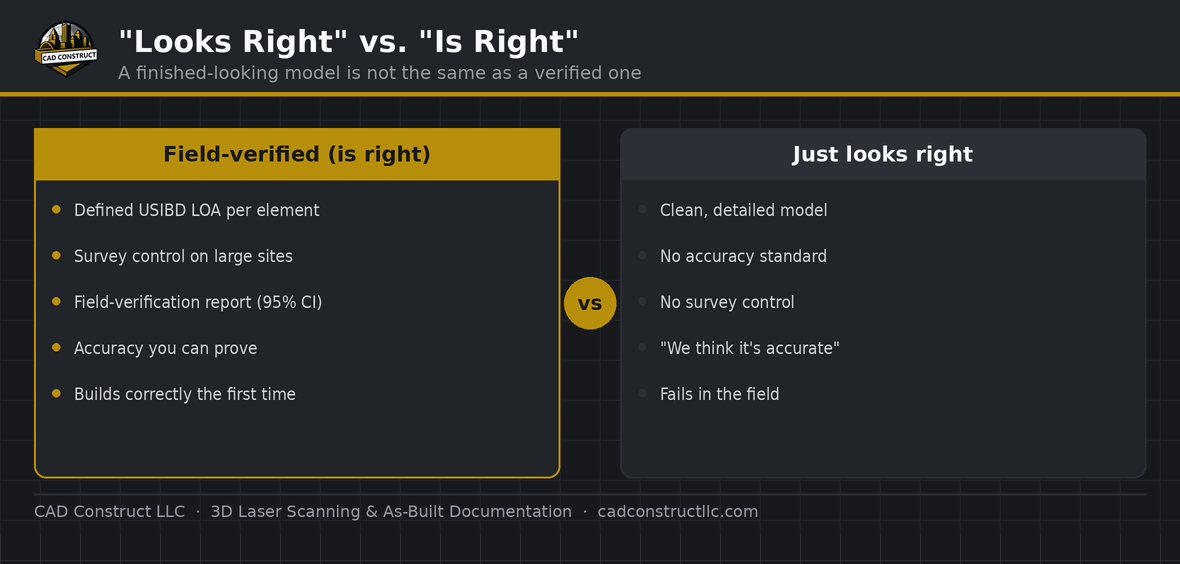
5. No verification — nobody checked the work

An as-built without a verification report is a promise, not a proof. Independent check measurements or control points, compared against the model and reported at 95% confidence, are what turn “we think it’s accurate” into “here’s the evidence.” If a deliverable doesn’t include one, you’re trusting the geometry on faith.
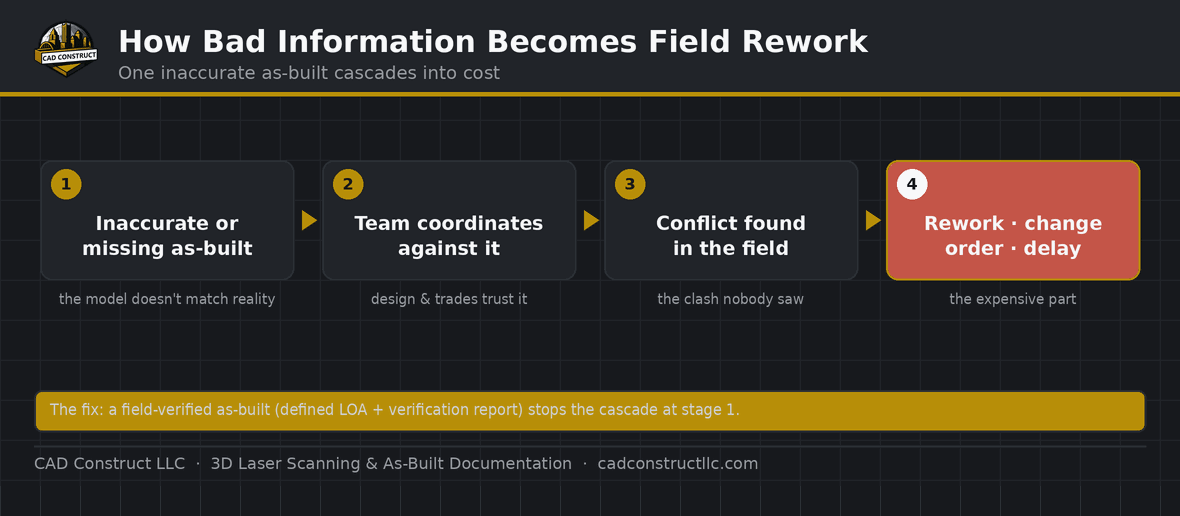
How to spec an as-built that works
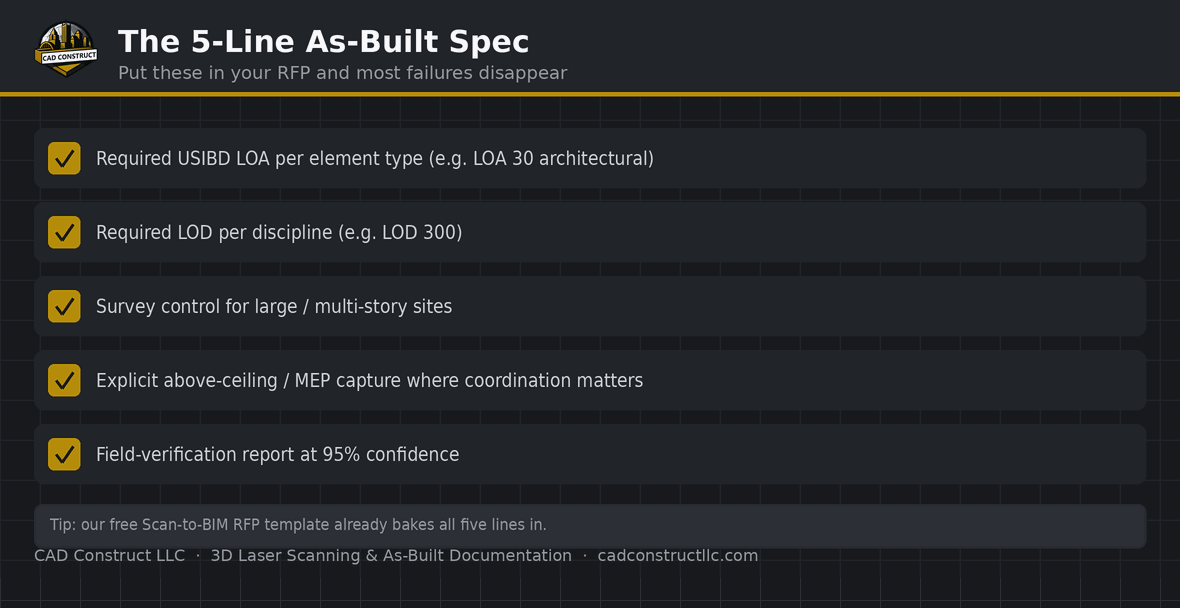
Put these five lines in your RFP or scope and most failure modes disappear: (1) a required USIBD LOA per element type; (2) a required LOD per discipline; (3) survey control for large/multi-story sites; (4) explicit above-ceiling/MEP capture where coordination matters; (5) a field-verification report at 95% confidence. Our free Scan-to-BIM RFP template bakes all five in. If you’re not sure what to specify, tell us what the model is for and we’ll recommend it.
Frequently asked questions

What’s the number-one cause of a bad as-built?
No defined accuracy standard. Without a specified LOA, “accurate” is unmeasurable and unenforceable.
Do I always need survey control?

For small single-rooms, often not. For large footprints or multi-story buildings, yes — it’s what keeps registration drift inside tolerance.
How do I know if my as-built is trustworthy?
Ask for the verification report. Achieved accuracy compared to independent checks at 95% confidence is the proof.
Can you re-scan a building that changed after the original as-built?

Yes. An as-built reflects the capture date; if the building changed, a targeted re-capture updates the affected areas.
Is a detailed model automatically an accurate one?
No. Detail (LOD) and accuracy (LOA) are independent. Specify both.
Related resources
Specifying an as-built and want it done right? Request a quote and we’ll help you scope it.

CAD Construct LLC
3D laser scanning, as-built documentation, scan-to-BIM & 360° virtual tours across Pittsburgh & Western PA — 20+ years turning existing buildings into field-verified digital records. cadconstructllc.com


0 Comments