Last updated:
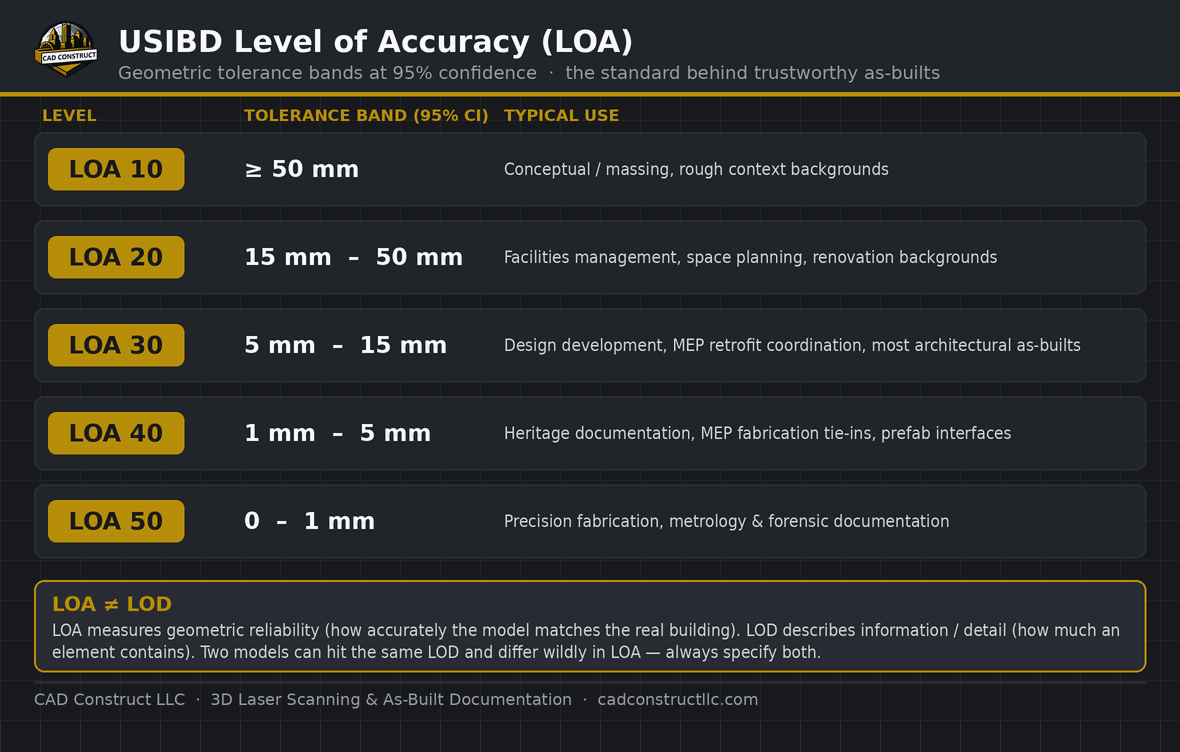
Short answer: The USIBD Level of Accuracy (LOA) is the industry standard that defines how closely an as-built or BIM model must match the real building, expressed as a geometric tolerance band at 95% confidence. It runs from LOA 10 (coarsest, ≥ 50 mm) to LOA 50 (finest, 0–1 mm). Most architectural scan-to-BIM work targets LOA 20–30 (roughly 5–50 mm). Crucially, LOA measures geometric accuracy — it is not the same as LOD, which measures information/detail. Specify both on every project.
What is the USIBD Level of Accuracy?
The Level of Accuracy (LOA) is a specification published by the U.S. Institute of Building Documentation (USIBD) that puts an objective, measurable number on how accurate an existing-conditions model is. Instead of vague promises like "survey-grade" or "highly accurate," LOA gives owners, architects, and contractors a five-level scale — LOA 10 through LOA 50 — where each level defines a tolerance band that the documentation must fall within at a 95% confidence level.
That 95% figure matters: it means at least 95% of measured points are expected to fall inside the stated tolerance. LOA is defined for both represented accuracy (what the model claims) and measured accuracy (what field validation proves), so a deliverable can be specified and verified against the same yardstick.
The five LOA levels and their tolerance bands
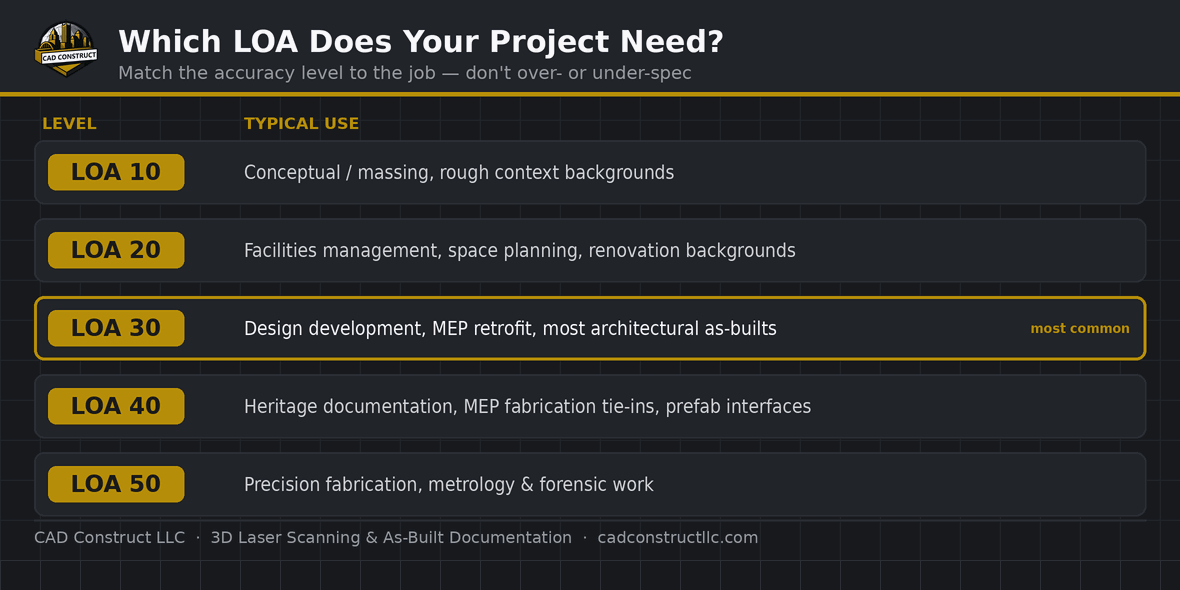
Each level narrows the allowable deviation between the model and the real building. The bands below are the USIBD tolerance ranges at 95% confidence:
| Level | Tolerance band | Typical use |
|---|---|---|
| LOA 10 | ≥ 50 mm (upper bound set by the specifier) | Conceptual and massing work, rough context backgrounds. |
| LOA 20 | 15 mm to 50 mm | Facilities management, space planning, and renovation backgrounds where general dimensions are enough. |
| LOA 30 | 5 mm to 15 mm | The workhorse level — design development, MEP retrofit coordination, and most architectural as-builts. |
| LOA 40 | 1 mm to 5 mm | Heritage documentation, MEP fabrication tie-ins, and prefab interface zones where field tolerances are tight. |
| LOA 50 | 0 to 1 mm | Precision fabrication, metrology, and forensic documentation. |
In practice, the vast majority of building-documentation projects land at LOA 20 or LOA 30. Pushing to LOA 40 or 50 requires more scan setups, tighter survey control, and more processing — so it is specified only where the downstream work genuinely needs it.
LOA vs. LOD — why you need both
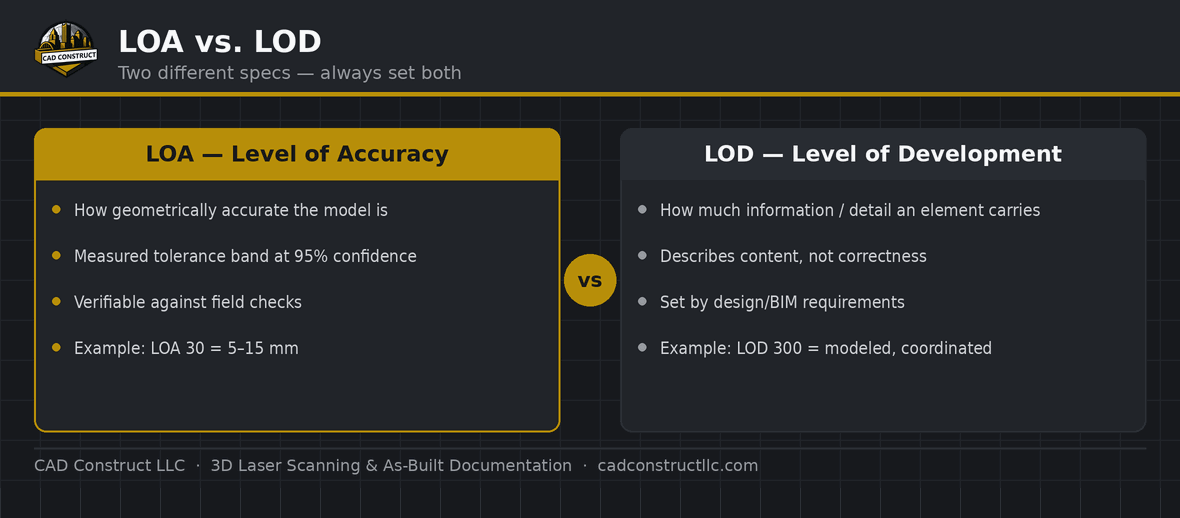
This is the single most common point of confusion. LOA (Level of Accuracy) describes geometric reliability — how closely the model matches reality. LOD (Level of Development) describes information — how much detail and data a model element carries. They are independent: two models can meet the same LOD 300 requirement and still differ dramatically in how accurately they represent the physical site. A beautifully detailed Revit model built to loose accuracy will still send fabricated ductwork to the wrong place. Always specify LOA and LOD together.
How to specify LOA on your project
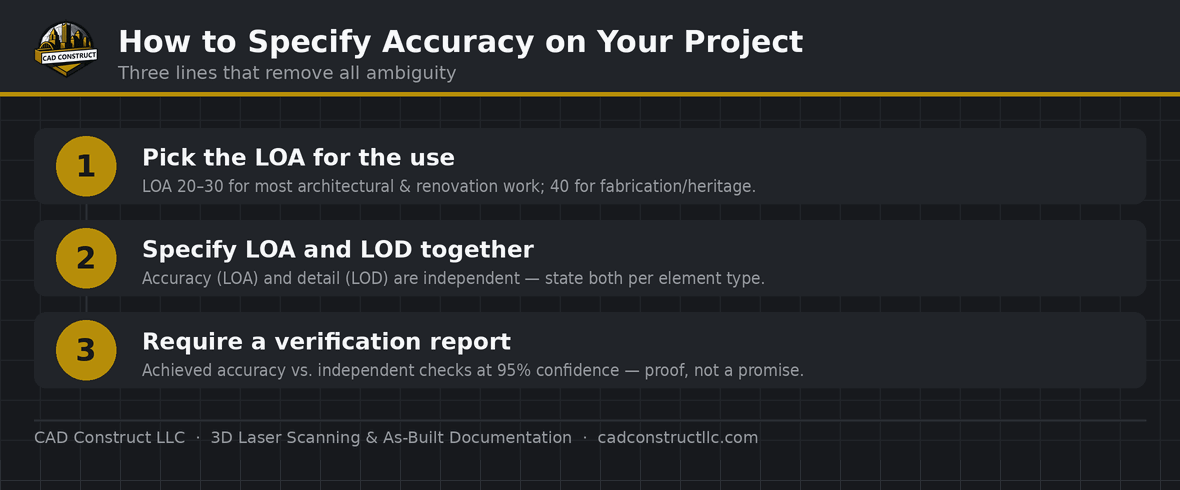
You don't need to be a surveyor to put LOA in your RFP or scope. A single clear sentence does it, for example:
"Deliver a Revit as-built model of the existing conditions at USIBD LOA 30 for architectural elements and LOA 20 for site/context, with a field-verification report documenting achieved accuracy."
That one line removes ambiguity, protects both sides, and makes competing bids comparable on the same accuracy basis. If you're not sure which level fits, tell us what the model is for and we'll recommend the LOA that balances accuracy against cost. Our scan-to-BIM services and as-built documentation pages walk through the deliverables, and the 3D laser scanning page covers field capture.
What accuracy does CAD Construct LLC deliver?
For most Pittsburgh and Western PA projects we deliver LOA 20–30, with LOA 30 as our default for architectural and MEP-coordination work. When a project calls for it — heritage restoration, fabrication tie-ins, tight prefab interfaces — we can capture and document to LOA 40 with the appropriate survey control. Every deliverable is tied back to a defined LOA so you know exactly what you're getting, and can verify it.
Frequently asked questions
What LOA do I need for a typical renovation?
LOA 20–30 covers almost all renovation work. LOA 30 is the safe default when the model feeds design and MEP coordination; LOA 20 is fine for space planning and facilities backgrounds.
Is LOA the same as the scanner's accuracy?
No. A scanner's single-point accuracy is one input, but final LOA depends on registration, survey control, modeling methods, and validation — the whole workflow, not just the hardware spec.
Does a higher LOA always cost more?
Generally yes. Tighter tolerances mean more scan positions, tighter control, and more QA, which increases time and cost. Specify the LOA your downstream work actually needs — over-specifying wastes budget.
What confidence level does LOA use?
95%. At least 95% of measured points are expected to fall within the stated tolerance band for that level.
Can one model have different LOAs for different elements?
Yes, and it's common. For example, architectural elements at LOA 30 and site/context at LOA 20 on the same deliverable.
How is achieved LOA verified?
Through field validation — comparing independent check measurements or control points against the model and reporting the deviation statistics at 95% confidence.
What's the difference between LOA and LOD again?
LOA = how accurate (geometry). LOD = how much detail/information. Independent scales; specify both.
Which LOA is "survey-grade"?
"Survey-grade" is a marketing term, not a spec. Use an LOA number instead — it's objective and verifiable.
Related resources
Need a model built to a defined accuracy? Tell us what it's for and request a quote — we'll recommend the right LOA.
Free tools & templates
- 3D laser scanning cost calculator
- As-built documentation cost calculator
- Scan-to-BIM cost calculator
- 360° virtual tour cost calculator
- Virtual storefront cost calculator
- As-built ROI & rework-cost calculator
- Scan-to-BIM RFP template (Word)
- As-built scope-of-work template (Word)
- Site-prep checklist (Word)

CAD Construct LLC
3D laser scanning, as-built documentation, scan-to-BIM & 360° virtual tours across Pittsburgh & Western PA — 20+ years turning existing buildings into field-verified digital records. cadconstructllc.com